
A rootkit is a type of malicious software that allows hackers to gain access to and control a targeted system. Although the majority of rootkits affect software and the operating system, some can also infiltrate the hardware and software of your computer. They are good at hiding their presence, but they are more active while they are hidden.
Rootkits allow cyber attackers to steal personal information and financial information, install malware, or use computers as part of a botnet to send spam and engage in DDoS (distributed denial of service) attacks once they gain unauthorized access to systems.
The term “rootkit” comes from the Unix and Linux operating systems, where the most privileged access administrator is referred to as “root.” The “kit” refers to the applications that allow unregistered root or admin-level access to the device.
Table of Contents
What is Rootkit?
A rootkit is a program or set of malicious software tools that allow a threat actor to gain remote access to and control over a desktop or other system. Although this software application has some legitimate purposes, such as remote end-user support, the majority of them open a backdoor on victims’ devices to introduce malicious software – such as viruses, ransomware, keylogger programs, or other types of malware – or to use the device for further network security attacks. It frequently try to avoid detection by disabling endpoint antimalware and antivirus apps.
Rootkits, which can be acquired on the darknet, can be implanted during phishing attacks or used as a social engineering strategy to trick users into granting permission for the rootkits to be installed on their devices, often giving remote malicious hackers administrator access to the system. A rootkit once installed grants the remote actor control and authority over nearly every aspect of the operating system (OS). Older antivirus programs frequently struggled to identify rootkits, but most antimalware software today can detect and remove rootkits that are hidden within a system.
Symptoms of a Rootkit Infection
It can be difficult to detect the existence of a rootkit on a computer because this type of malware is specifically built to remain hidden. Rootkits can also deactivate security software, making the task even more difficult. As a result, this malware may remain on your computer for an extended period of time, causing extensive damage.
Rootkit malware can be identified by the following symptoms:
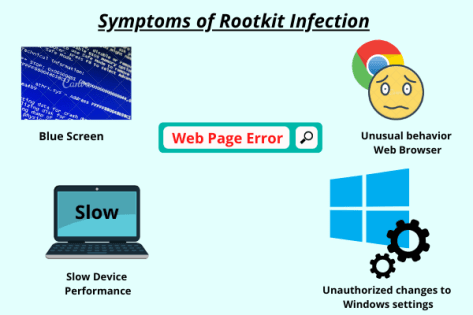
- Blue screen: A large number of Windows error messages or blue screens with white text (sometimes referred to as “the blue screen of death”), while your computer is constantly rebooting.
- Unusual behavior web browser: Strange web browser behavior, such as unrecognized bookmarks or link redirection.
- Slow device performance: Your device may take some time to boot up and perform slowly or freeze frequently. It may also stop responding to mouse or keyboard input.
- Unauthorized changes to Windows settings: Examples include your lock screen changing, the taskbar hiding, or the inaccurate date and time displaying – even if nothing has changed.
- Web pages do not function properly: Due to high network traffic, web pages or network activities appear intermittently or do not function properly.
A rootkit scan is the most effective method of detecting a rootkit infection that your antivirus solution can initiate. If you strongly doubt a virus, one way to detect it is to shut down the computer and run a scan from a known clean system.
Prevention Tips for Rootkit
Because rootkits are so risky and difficult to detect, it’s essential to use caution when browsing the internet or downloading software. There is no way to prevent yourself from all rootkits.
Fortunately, you can improve your chances of avoiding these attacks by following the same common-sense precautions that you use to prevent all computer viruses, including these.
Don’t ignore updates
Upgrades to your computer’s applications and system software can be inconvenient, especially when it appears that a new update is awaiting your approval every time you turn on your device. However, don’t dismiss these updates. The best way to defend yourself from rootkits is to keep your operating systems, antivirus programs, and other applications up to date.
Watch out for phishing scams
Scammers use phishing emails to trick you into giving them your financial data or downloading malicious programs, such as rootkits, onto your desktop. These emails frequently appear to be from a valid bank or credit card provider. These messages may inform you that your account is about to be frozen or that you must confirm your identity.
You will also be asked to click on a link in the messages. If you do, you will be directed to a bogus website. You may unintentionally download a rootkit to your computer once there.
What is the lesson to be learned? Never click on any links purportedly sent by a financial services firm. If the message appears to be from a company with which you do not have an account, delete it. If you receive a message from a company with which you do business, log into your account online or call the company. If there is a problem, it should be visible in your online account or confirmed by a customer service representative.
Keep an eye out for drive-by downloads.
Drive-by downloads can be especially complicating. When you visit a website, malware is automatically installed on your computer. This does not require you to do anything or download anything from the website. This can be caused by more than just malicious websites. To cause these automatic downloads, hackers can integrate malicious code into legitimate websites.
What is the best way to defend yourself? Quickly approve software updates for your computer. Set your operating system, web browser, and all applications to automatically install upgrades so that your computer systems always have the most up-to-date protection.
Conclusion
Rootkits are one of the most difficult types of malware to detect and remove. Because they are hard to detect, the best defense is often prevention. Keep learning about the latest cybersecurity threats to ensure continuous protection.