To protect data from being improperly accessed or lost, every organization, regardless of size or industry, requires a data loss prevention (DLP) strategy. The strategy should prioritize the security of important, sensitive, or regulated data, such as health records, financial information, and intellectual property. Data loss prevention best practices are often composed of both technologies and policies. Common practices include setting user workstations to prevent the usage of USB devices and having clear procedures in place regarding the exchange of confidential data via email.
Many firms use a data loss prevention system to provide more complete protection, which can help them in the following ways:
- Prevent access to information assets by enforcing access rights.
- Track successful and unsuccessful activity on workstations, servers, and networks, such as who is reading or transferring which files or capturing screenshots.
- Audit information flows within and outside the company, especially those from remote places using laptop computers and other mobile devices.
- Track the number of data transfer channels (such as the use of flash drives and instant messaging services), as well as the interception and blocking of incoming data streams.
Table of Contents
Data Loss Prevention Best Practices
To continually enforce data usage policies, data loss prevention best practices and auditing mechanisms should be implemented. The purpose is to understand how data is truly being used, where it is going or has gone, or whether or not this complies with compliance policy criteria such as GDPR. When suspicious activity is noticed, administrators should be notified in real-time so that they can investigate.
The data loss prevention best practices listed below will help you in protecting your sensitive information from both internal and external threats:
Analyze and categorize sensitive data.
To successfully secure data, you must first understand what types of data you have. Data discovery technology will search your data sources and report on the results, providing visibility into what content needs to be protected. Regular expressions are commonly used by data discovery engines for searching; they are incredibly flexible yet difficult to build and fine-tune.
Using data discovery and categorization technologies allows you to regulate user data access and avoid keeping sensitive data in unauthorized areas, lowering the risk of data breaches and loss. All essential or sensitive data should be properly labeled with a digital signature that indicates its classification, so that it may be protected in accordance with its importance to the organization.
Use data encryption
All sensitive company data, whether at rest or in transit, should be encrypted. If portable devices will be storing sensitive data, encrypted storage solutions should be used.
Encrypting the hard disks of desktops and laptops will help prevent the loss of essential information even if the device is hacked. Encrypting File System (EFS) technology is the simplest basic technique to encrypt data on your Windows PCs. When an authenticated user opens an encrypted file, EFS decrypts it in the background and gives the program an unencrypted copy. Authorized users can see or edit the file, and EFS transparently stores changes as encrypted data.
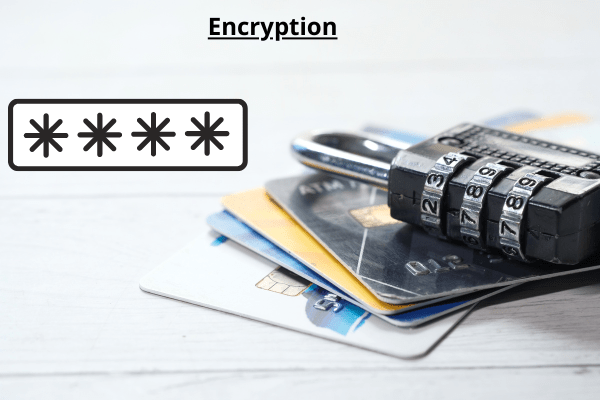
Unauthorized users, on the other hand, cannot examine the content of a file even if they have complete access to the device; they will see an “Access denied” error, preventing a data breach.
BitLocker is another encryption method from Microsoft. BitLocker enhances EFS by adding an extra layer of security to data stored on Windows devices. BitLocker secures lost or stolen endpoint devices from data theft or exposure, and it provides safe data destruction when a device is deactivated.
Make your systems more secure.
Any location where sensitive data may live, even if only temporarily, should be encrypted based on the categories of information the system may have access to. Because a network is only as secure as its weakest link, this includes all external systems that potentially get inside network access via a remote connection with considerable rights. However, usability must still be taken into account, and an appropriate balance between performance and security must be established.
Set up a strong patch management strategy.
It is important for data safety and cybersecurity to keep all applications and operating systems in your IT environment up to date. While some tasks, such as updating antivirus tool signatures, can be automated, essential infrastructure fixes must be properly evaluated to verify that no functionality is affected and no risks are introduced into the system.
Establish a DLP remote work policy.
The COVID-19 pandemic has proved to businesses everywhere the importance of being prepared to conduct business remotely in the case of an emergency. However, many firms have made major investments in the security of corporate networks, which means that once a computer is taken home, the important data stored on it can be subject to security attacks and data leaks.
As a result, it is important for organizations to implement a remote work policy that includes endpoint DLP tools that will work outside of the corporate network and regardless of whether a device is online or offline, so data is always protected, regardless of where a company computer is physically located.
Assigning responsibilities.
Clearly outline each individual’s role in the data loss prevention approach. Define who owns what data, which IT security officials are in charge of what areas of security incident investigations, and so on.
Employees should be educated on DLP and data security.
Finally, employees must understand the relevance of a DLP strategy, the importance of information security, and the implications of a data breach. Companies can use DLP data monitoring information to provide training that tackles the gaps in employees’ data security procedures.
Companies can raise awareness of harmful practices and assist employees to fix them by providing clear instructions on how to act in certain instances by providing relevant examples from their regular tasks.
Employees who appreciate the value of data loss prevention best practices are less likely to attempt to bypass policies and are more likely to report any problems they encounter to administrators, who can then change DLP policies for greater overall efficiency.