A port scanning is a process that identifies “open doors” to a computer, similar to how car burglars test door handles to see which cars are locked. Because ports are the points at which information enters and exits a computer, hackers can find weakened routes into your computer by scanning for open ports.
According to the SANS Institute, port scanning is one of the most popular techniques used by attackers to discover services that can be used to break into your computer system.
It’s worth noting that port scanning isn’t just used for bad things. It also has legitimate applications in network management. This blog will define port scanning, discuss the various types of port scanning, and describe how to protect yourself from attackers who use port scanning to obtain access.
Table of Contents
What is Port Scanning?
Port scanning is an approach for determining which network ports are open and potentially receiving or sending information. It is also a method of sending packets to particular ports on a host and analyzing the responses to find vulnerabilities.
This scanning cannot take place unless a list of active hosts is identified and mapped to their IP addresses. This activity, known as host discovery, begins with a network scan.
The goal of port and network scanning is to define the organization of IP addresses, hosts, and ports so that open or susceptible server locations can be determined and security levels can be diagnosed. Network and port scanning can both show the existence of security measures like a firewall between the server and the user’s device.
How does Port Scanning Work?
Port scans submit a request to all available ports, requesting that they connect to a network. The scan then notes which ports respond and which appear vulnerable.
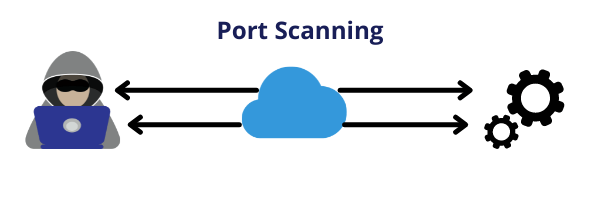
Once the attacker has identified sensitive ports in a network, the scan will categorize the ports into three groups:
- Open: The host responds, stating that it is listening and accepting requests. An open port indicates that there is a way to target the network.
- Closed: The host responds but notes that no application is currently listening. Hackers will frequently return to scan again in case it opens up.
- Filtered: A request is not responded to by the host. This could indicate that the packet was gone down due to network latency or a firewall.
Most Widely Used Port Scanning Tool
The most widely used port scanning tool is “Nmap,” which stands for Network Mapper. It is a system administrator’s favorite because it can be installed on Windows, Linux, macOS, or constructed from source code. Nmap detection, which was first released as a Linux-only port scanner 16 years ago, has evolved over the years and now includes some very useful features such as OS detection, edition detection, the Nmap Scripting Engine, a Windows port, an interface of the system, and more.
The Nmap scanner is now undergoing rapid development and is also being used to scan online web services, allowing users to scan their own machines from the cloud for open vulnerabilities.
Techniques of Port Scanning
Depending on the purpose, there are many techniques for port scanning. It’s also worth noting that cybercriminals will select a port scanning methodology based on their goal or attack strategy.
Here are a few kinds of techniques and how they work:
- Ping scans: Ping scans are the most basic port scans. Ping is used in a network to determine whether or not a network data packet can be transmitted to an IP address without errors. Ping scanners are internet control message protocol (ICMP) requests that send an advanced blast of multiple ICMP requests to various servers in order to elicit responses. IT administrators can use this tactic to troubleshoot, or they can disable the ping scan with a firewall, making it impossible for hackers to find the network via pings.
- SYN (short for synchronize) scans: A half-open scan, also known as an SYN (short for synchronize) scan, is a technique used by attackers to evaluate the status of a port without establishing a full connection. This scan only sends an SYN message and does not complete the connection, leaving the target in a state of limbo. It’s a quick and stealthy method for detecting potential port numbers on target devices.
- XMAS scans: XMAS scans are even more quiet and invisible to firewalls. For example, FIN packets are typically sent from the server or client to cancel a connection after establishing a TCP 3-way handshake and productive data transfer, as indicated by the message “no more data is available from the sender.” Firewalls frequently ignore FIN packets because they are primarily looking for SYN packets. As a result, XMAS scans submit packets with all flags — including FIN — expecting no response, implying that the port is open. If the port is closed, an RST response is returned. The XMAS scan rarely appears in monitoring logs and is simply a more insidious way of learning about a network’s security and a firewall.
How to Prevent Against Port Scanning?
The best offense, as is often the case in computer security, is a great defense. Your network system will be susceptible to port scans as long as you have a publically available server. However, there are a few things you can do to mitigate your weaknesses:
- Install a Firewall: A firewall can help protect your private network from unauthorized access. It is in charge of the exposed ports and their visibility. Firewalls can also detect an ongoing port scan and shut it down.
- TCP Wrappers: A TCP wrapper allows administrators to grant or deny access to the network based on IP addresses or domain names.
- Identifying Network Gaps: Conduct your own internal port scan to see if there are any extra ports open. Check your system on a regular basis to identify existing flaws that could be exploited.
It is essential to take precautions to secure your network before attackers discover your weaknesses.